OneTouch VerioIQ® – Warning Temperature Too Low Error
Products
OT Verio IQ Meter
Troubleshooting:
Temperature Too Low: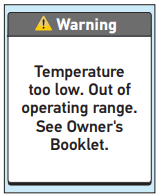
- The OneTouch Verio IQ® Meter displays messages when there are problems with the test strip, with the meter, or when your glucose levels are above 600 mg/dL or below 20 mg/dL. Improper use may cause an inaccurate result without producing an error message.
- Note: If the meter is on but does not operate (locks up), contact OneTouch® Customer Care.
Temperature Too Low:
- What it means:
- Meter is too cold (below 43°F) to work correctly.
- What to do:
- Move the meter and test strips to a warmer area. Insert a new test strip when the meter and test strips are within the operating range (43–111°F). If you do not get another Temperature too low message, you can proceed with testing.
AW 06703306A

