OneTouch Verio Flex® – Sampling Blood from the Fingertip
Products
OT Verio Flex Meter
Sampling Blood From The Fingertip:
- Choose a different puncture site each time you test. Repeated punctures in the same spot may cause soreness and calluses.
- Before testing, wash your hands and the sample site with warm, soapy water. Rinse and dry completely. Contaminants on the skin may affect results.
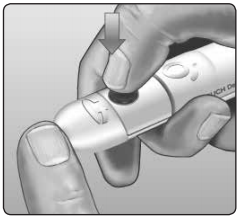
1. Puncture your finger.
- Hold the lancing device firmly against the side of your finger.
- Press the release button.
- Remove the lancing device from your finger.
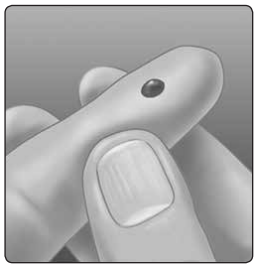
2. Get a round drop of blood.
- Gently squeeze and/or massage your fingertip until a round drop of blood forms.
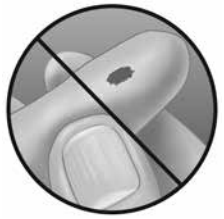
- Note: If the blood smears or runs, Do Not use that sample. Dry the area and gently squeeze another drop of blood or puncture a new site.
- For more information see: OneTouch Verio Flex® – Applying Blood
AW 06932408 B

