OneTouch Ultra Plus Flex™ - Applying The Sample
Products
OT Ultra Plus Flex Meter
OT Ultra Plus Test Strip
Applying The Sample:
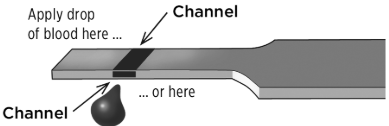
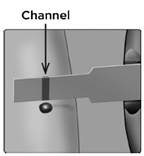
1. Apply the sample to the test strip
- You can apply blood to either side of the test strip.
- Apply your sample to the opening of the channel.
- Be sure to apply your sample immediately after you get a drop of blood.
- Holding the meter at a slight angle, guide the channel to the blood drop.
- When it touches your sample, the test strip wicks blood into the channel.
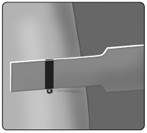
2. Wait for the channel to fill completely
- The blood drop will be drawn into the narrow channel. The channel should fill completely.
- The channel turns red and the meter will count down from 5 to 1.
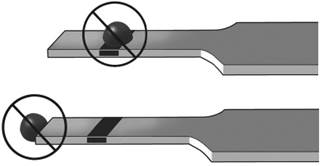
- Blood should not be applied on the top of the test strip or to the top edge of the test strip.
- NOTE:
- Do Not smear or scrape the sample with the test strip.
- Do Not press the test strip too firmly against the puncture site or the channel may be blocked from filling properly.
- Do Not apply more blood to the test strip after you have moved the drop of blood away.
- Do Not move the test strip in the meter during a test or you may get an error message or the meter may turn off.
- Do Not remove the test strip until the result is displayed or the meter will turn off.
AW 07295104 B

