OneTouch® Delica® Plus Lancing Device
Products
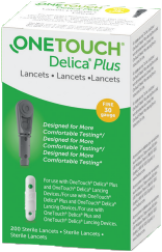
OT Delica Plus Lancet
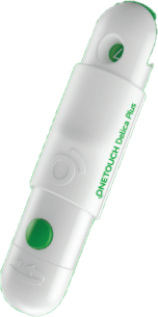
OT Delica Plus Lancing Device
OneTouch® Delica® Plus Lancing Device:
Steps To Help Make Blood Glucose Checks Less Painful And Reduce The Chance Of Infection: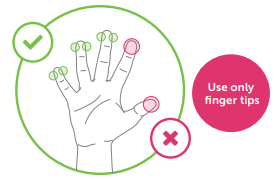
Preparing Your Lancing Device:
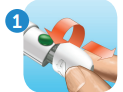
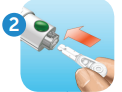
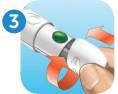
Testing And Removing The Used Lancet:



- Virtually Pain Free blood glucose checking with the OneTouch® Delica® Plus lancing device
- Also works with OneTouch® Delica® lancets
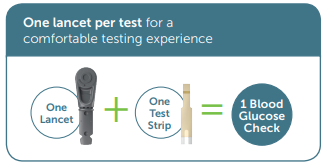
- Use a new OneTouch® Delica® Plus sterile lancet with each test to make lancing less painful.
-
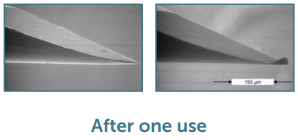
- Native and used lancet after a single skin penetration1
- 1 Heinemann L, Boecker D. Lancing: Quo Vadis? Journal of Diabetes Science and Technology 2011;5(4):966–981.
- These images are from a publication that provides an overview of lancing and are not representative of any OneTouch® device.
- Lancet reuse can dull or bend the tip of the lancet, causing damage to your skin, scarring and greater pain.
- Native and used lancet after a single skin penetration1
Steps To Help Make Blood Glucose Checks Less Painful And Reduce The Chance Of Infection:
- Before testing, wash your hands and the sample site with warm, soapy water. Rinse and dry completely. Contaminants on the skin may affect results.
- Use a new sterile lancet each time you test. Do Not Re-use
- Gently squeeze and/or massage your fingertip until a round drop of blood forms.
- Apply the lancing device to the side of the upper part of your finger.
- Choose a different puncture site each time you test. Repeated punctures in the same spot may cause soreness and calluses.
- Never share a lancet or lancing device with anyone. For single patient use only.
Preparing Your Lancing Device:
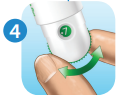
1. Remove the lancing device cap
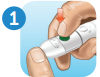
2. Insert a sterile lancet into the lancing device and remove its protective cover
3. Replace the lancing device cap
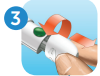
4. Adjust the depth setting
- Smaller numbers are for a shallower puncture and larger numbers for a deeper puncture.
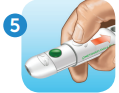
5. Cock the lancing device by sliding the button back until it clicks
- Now you can test
- Before using the OneTouch® Delica® Plus lancing device to test blood glucose, carefully read the OneTouch® meter Owner’s Booklet and inserts that come with the system.
Testing And Removing The Used Lancet:
1. Puncture your finger
- Hold the lancing device firmly against the side of your finger. Press the release button to puncture.
2. Apply the sample
- Apply the blood sample following the instructions in your OneTouch® Owner’s Booklet for proper sample application.
3. Remove the lancing device cap again
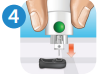
4. Cover the exposed lancet tip
- Place the lancet protection cover on a hard surface and push the lancet tip into the flat side of the disk.
5. Eject the lancet
- Holding the lancing device downwards, push the slider forward until the lancet comes out. Push the cap back onto the device.
6. Replace the lancing device cap
- Discard the used lancet carefully after each use to avoid unintended lancet stick injuries.
US-DPL-2300002

