OneTouch VerioIQ® – Tool Settings For Turning The Tagging Feature On Or Off
Products
OT Verio IQ Meter
Tool Settings: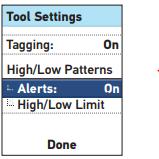
Turn the Tagging feature on or off: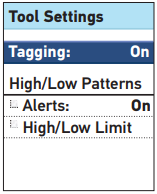
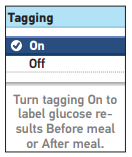
- The meter has several features that provide information that can help you manage your diabetes.
- High/Low Patterns – Lets you know if your blood glucose levels are developing a high or low pattern.
- Tagging – Blood glucose results can be tagged to indicate tests taken around mealtimes.
Turn the Tagging feature on or off:
- After testing, you can add tags to your blood glucose results.
1. Highlight Tagging on the Tool Settings screen and press OK.
- Note: “Before meal” tags are used to determine if a blood glucose result should trigger a high pattern message. If you want to receive high pattern messages, be sure the tagging feature is turned on and tag your results carefully.
2. To turn this feature on or off, press ↑ or ↓ to highlight your selection and press OK. You will return to the Tool Settings screen.
- Press
to return to the Settings screen or press and hold
to return to the Main Menu.
AW 06703306A

