OneTouch Verio® – Edit Your Low And High Range Limits
Products
OT Verio Meter
Edit Your Low And High Range Limits:
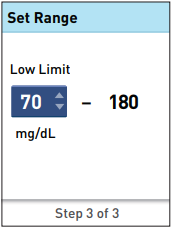
- To change the pre-set Low Limit press ↑ or ↓ to the desired value between 60 mg/dL and 110 mg/dL and press OK.
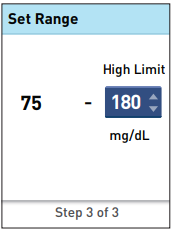
- To change the pre-set High Limit press ↑ or ↓ to the desired value between 120 mg/dL and 300 mg/dL and press OK.
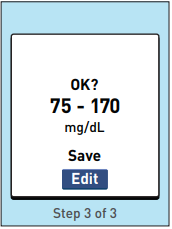
- When your low and high range limits are correct, press OK.
- If you need to make an adjustment, press ↑ or ↓ to highlight Edit and press OK, then repeat the steps above.
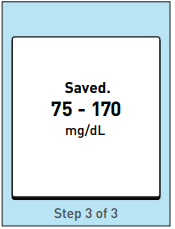
- Saved will appear to confirm that the low and high limits displayed are now stored in the meter.
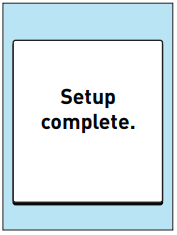
- Setup complete appears on the screen. Your meter is now ready for use.
- After a few seconds, the Main Menu will appear on the screen.
- Note: If the meter was turned on by inserting a test strip, the Apply Blood screen appears instead of the Main Menu.
AW 06908604A

